# 其他设置

**其他设置**

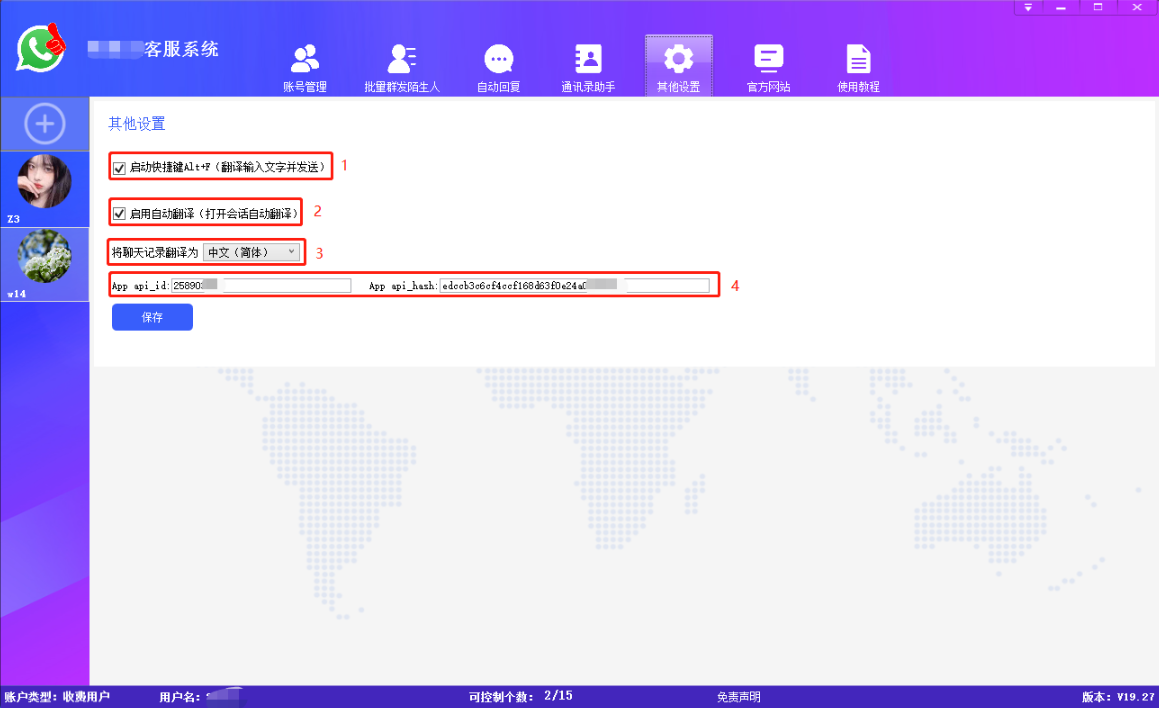
1.启动快捷键Alt+F，翻译输入的文字并发送。

2.启用自动翻译，打开会话自动翻译。

3.将聊天记录翻译为其他国家的语言。

<figure><img src="/files/VLT25NeODOGytd1DNT1W" alt=""><figcaption></figcaption></figure>

4.App api\_id

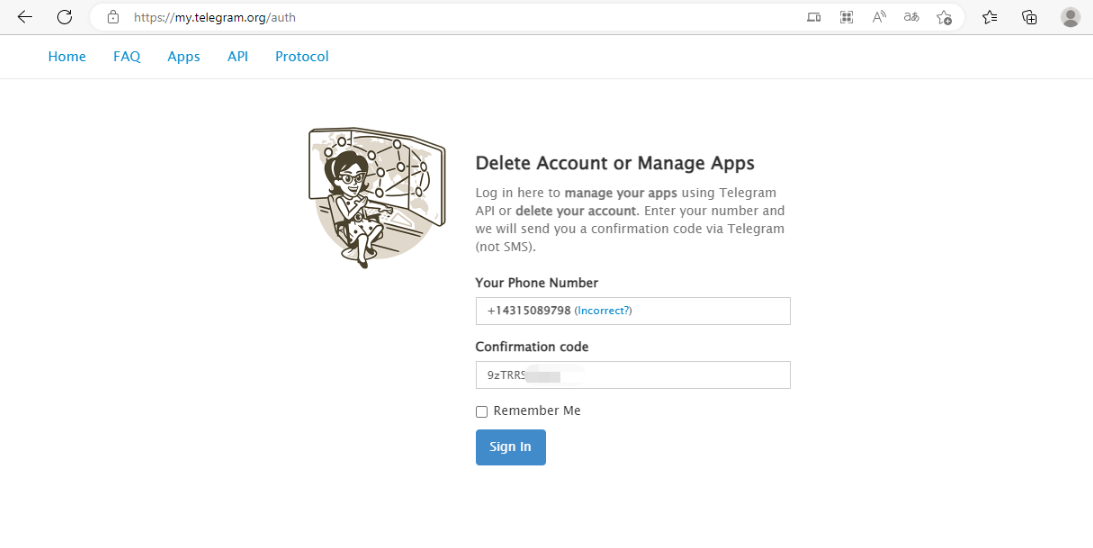
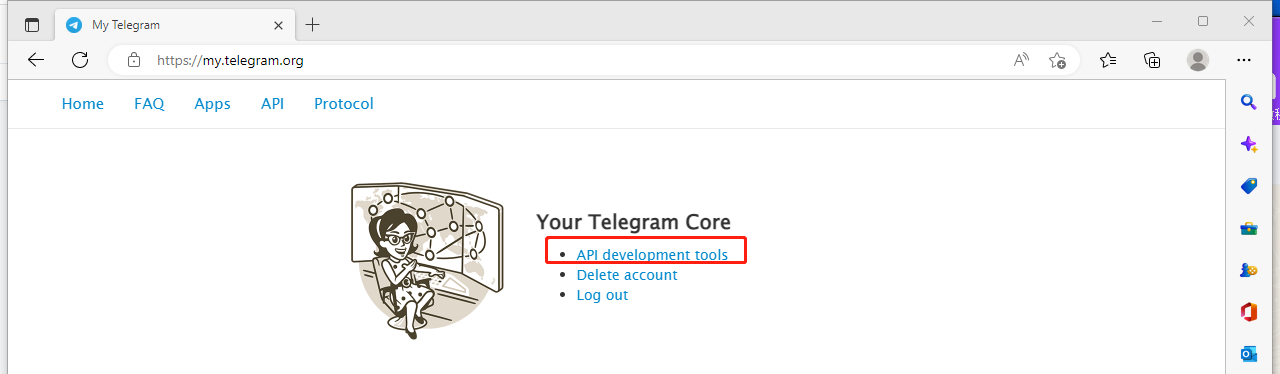
打开客服系统会自动填入一个api\_id和api\_hash，用于登录telegram。也可以点击<https://my.telegram.org/auth>自行登录telegram申请api\_id和api\_hash。

<figure><img src="/files/aaywn4IfFZ0SScsLQraI" alt=""><figcaption></figcaption></figure>

<figure><img src="/files/RitJgEDAXgUVLkI5UHKY" alt=""><figcaption></figcaption></figure>


---

# Agent Instructions: Querying This Documentation

If you need additional information that is not directly available in this page, you can query the documentation dynamically by asking a question.

Perform an HTTP GET request on the current page URL with the `ask` query parameter:

```
GET https://help.kuajingwang.vip/kefu/qi-ta-she-zhi.md?ask=<question>
```

The question should be specific, self-contained, and written in natural language.
The response will contain a direct answer to the question and relevant excerpts and sources from the documentation.

Use this mechanism when the answer is not explicitly present in the current page, you need clarification or additional context, or you want to retrieve related documentation sections.